Podcast Chapters
Help your listeners jump to exactly the segment they want to hear.
Let your listeners jump right in
Podcast chapters work like a table of contents for your podcast. You can mark the timecodes where each chapter of your podcast episodes start. Your listeners will see the chapters in their podcast app, and be able to jump to each timecode.
They work everywhere
Our chapters work everywhere:
- We include chapter data in your feeds, supporting all apps that implement the Podcasting 2.0 chapters tag
- You can optionally include chapters in your show notes
- We embed your chapters in your audio files' ID3 or M4A metadata, making them available to folks who download your audio
- Our podcast websites, short links, and WordPress plugin support showing chapters to your visitors
Oh, and if you use clip insertion, your chapters will update automatically: chapters will appear at the correct adjusted timecodes.
Setting chapters up is easy
We make it easy to set up chapters for your episode. If your audio file already has chapters baked in, we'll read them and add them to your episode. If not, you can add chapters in the editor just below the Audio field.
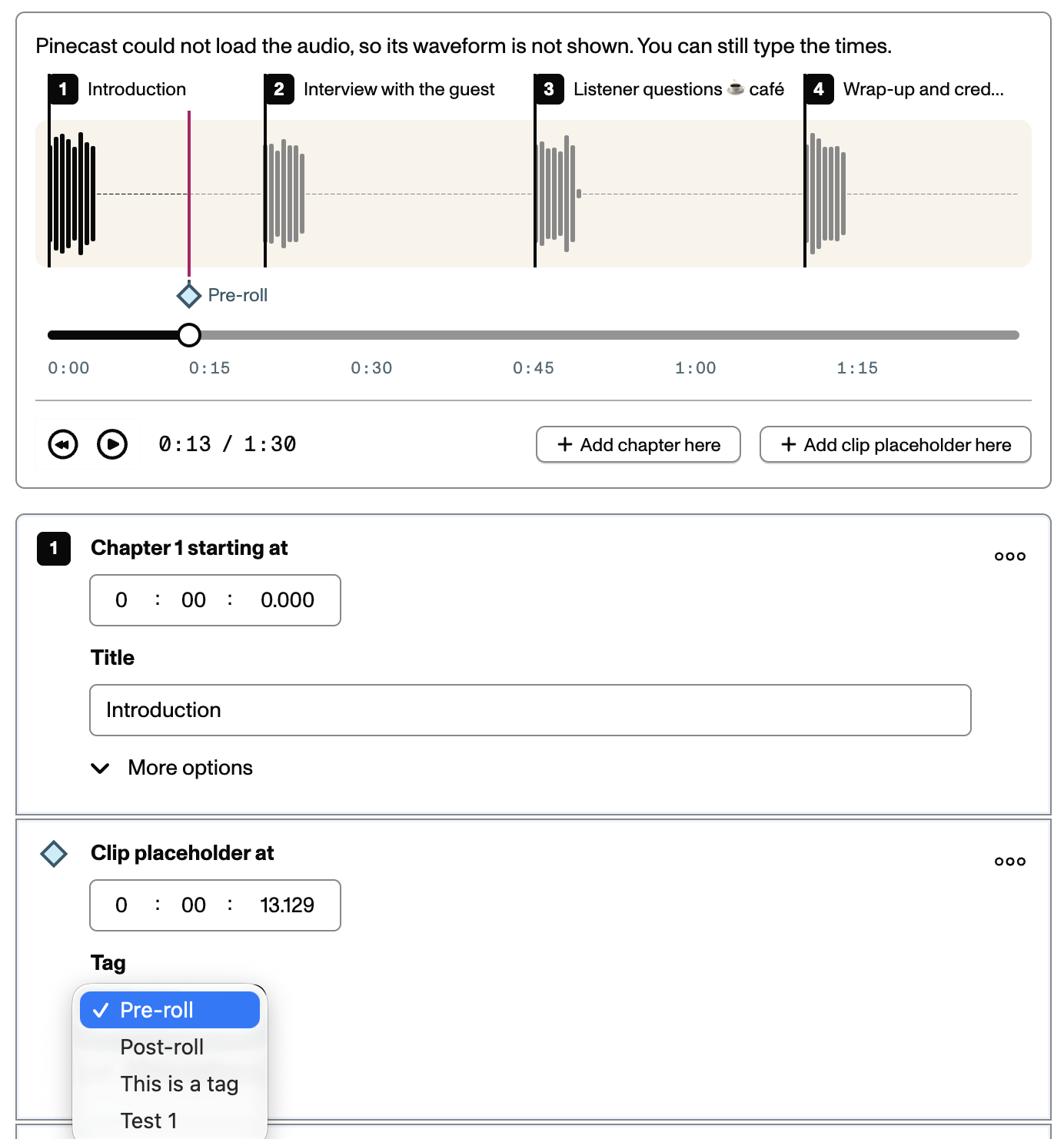
Chapters and clip placeholders can be added by scrubbing to a timecode in the audio player, then choosing the button to add a chapter or placeholder. You can edit the details of what you've added below. Chapters allow you to specify a name and a URL along with the timecode.
That's it: when you save your episode, we'll take care of the rest.